2026
2026-09-02
This release introduces full contract subject tracking in the Sales App. Until now, a deal carried a single Subject Date, which meant that everything a purchaser still had to satisfy — financing, home inspection, review of the disclosure statement, sale of an existing home — was rolled into one date with no record of what those conditions actually were. Teams were tracking the detail in spreadsheets, email threads, and personal notes, and there was no reliable way to answer "what is this deal still waiting on?" without opening the contract itself.
Subjects are now first-class records on the deal. Each condition is captured individually with its own description, removal date, and status, and every change is logged. The two areas most affected are the Unit overview, where subjects are managed day to day, and the New Deal process, where subjects are established at the time the contract is written.
Why We Made These Changes
-
A single subject date was not enough — Most deals carry several conditions with different deadlines. Collapsing them into one date hid the detail your team needs to manage the deal and made it impossible to see which condition was actually holding up a sale.
-
Removing the reliance on spreadsheets — Subject tracking was happening outside Pluto. Bringing it into the platform means the sales team, management, and reporting are all working from the same source of truth.
-
Better visibility on what is outstanding — Overdue warnings, status pills, calendar entries, and the dashboard give your team early sight of conditions approaching their deadline, rather than discovering the problem after the fact.
-
A defensible audit trail — Fulfilling or waiving a condition is a significant contractual event. Every status change is now attributed to a staff member with a timestamp and an optional reason, which supports both internal review and any subsequent dispute.
-
Consistency between the contract and the system — Because subject documents now create their own subject records and adjust the deal's subject date, the information in Pluto always reflects what was actually signed.
New Features — Unit Overview
-
New Subjects tab on the unit — Every unit now has a dedicated Subjects tab listing each condition on the deal, with its description, removal date, and current status. The unit's overall Subject Date and Rescission Expiry Date are displayed at the top of the page for context.
-
Subject statuses — Each subject carries a status of Pending, Fulfilled, or Waived, shown as a colour-coded pill. Your team can mark a subject as fulfilled in a single click, or waive it with an optional reason recorded against the deal. Fulfilled and waived subjects can be returned to pending if something changes.
-
Overdue subject warning — If any subject is still pending after its removal date has passed, a warning banner appears on the tab and the status pill is highlighted, so nothing quietly slips past its deadline.
-
Add subjects two ways — A new Add button opens a guided workflow with two paths. You can generate a subject document — an addendum template that has been configured to create a subject automatically — or add a subject manually when no document is required. The workflow reminds your team that subjects added after the main contract is written require an amendment or addendum to be signed by the purchaser.
-
Inline editing of subjects — Subject descriptions and removal dates can be edited directly in the grid. Pending subjects can be deleted by the staff member who created them or by an administrator. Subjects are locked from editing once the deal reaches Firm or Closed.
-
Automatic subject date extension — If a subject's removal date falls after the unit's current subject date, Pluto asks for confirmation and then moves the unit's subject date forward to match. This applies whether the subject is added manually, created by a document, or edited afterwards, and the prompt clearly explains the impact on when the deal can go firm.
-
Full activity history — Every subject records who added it, who fulfilled or waived it, when, and any reason given. An activity timeline on the tab shows all subject changes for the deal, and each individual subject has its own history view.
-
Subjects on the unit panel and calendar — Subjects also appear in the unit panel summary within the Unit Manager, and each subject removal date now appears as an item on the calendar alongside existing contract milestones.
-
Mobile support — The full subject experience is available on mobile, including the subjects list, add workflow, edit and status changes, and history.
New Features — New Deal Process
-
Subject addenda in the Addenda step — The Addenda step of the New Deal workflow now identifies templates that create a subject. These are presented using their configured subject name rather than the raw file name, so your team selects "Subject to Financing" rather than a document title.
-
Removal date required before continuing — When a subject addendum is added, its removal date must be supplied before the addendum can be saved. This prevents contracts from being written with a subject that has no deadline attached.
-
Subject date kept in step with the contract — If a subject's removal date is later than the deal's subject date, the New Deal packet updates the subject date automatically, with a confirmation prompt when a subject date has already been set. The dates on the contract and the subjects on the deal can no longer drift apart.
-
Subjects summarised on the Review step — The final Review step now includes a Subjects section listing every subject that will be created, along with its removal date, so the salesperson can confirm the full picture before submitting the deal. A clear message is shown when no subjects have been added.
-
Subjects created automatically on submission — When the deal is submitted and the documents are generated, the corresponding subject records are created on the unit automatically. No duplicate data entry is required, and the Subjects tab is populated from the moment the contract exists.
New Features — Template Configuration Admin
- Subject templates — PDF templates can now be flagged as a Subject Template in the admin templates area. A subject template specifies the subject name that will be displayed and which date prompt on the document supplies the removal date. Once configured, that template creates the matching subject every time it is generated — from the New Deal workflow, the Add Subject workflow, or the standard new document workflow.
2026-08-31
This release delivers a complete redesign of the Customer Connect reservation experience. The previous step-by-step wizard has been replaced with a streamlined, modern flow that reduces the number of pages, introduces richer visual content, and provides a more intuitive path from browsing to reservation. New Workbench features give your team full control over the content displayed to prospective buyers.
New Features
-
Lot-first flow for fee simple projects — Purchasers can now select a lot before choosing a model. If a lot already has an assigned model, the system auto-selects the model; otherwise, it prompts the buyer to choose a model before moving forward.
Configuration Note: To enable the lot-first approach for a specific unit, ensure its Model field is left blank in the setup.
-
Redesigned Customer Connect reservation flow — The reserve workflow has been consolidated from six separate pages into four focused steps: Location, Model & Unit, Sign Up, and Reservation. Each step presents more information at a glance, reducing the number of clicks required to complete a reservation.
-
Combined location step — Project and building selection now happen on a single page. Each project is displayed as a card with a cover photo, availability badge, key statistics, and description. For high-density projects with multiple buildings, a building selection grid appears after choosing a project.
-
Combined model and unit selection — Model browsing and unit selection are now on one page. Models can be viewed in grid or list layout and toggled between floor plan and render images. Selecting a model filters the unit carousel below to show only available units for that model.
-
Model and unit filtering — New filter dialogs allow purchasers to narrow results by bedrooms, bathrooms, square footage, features, exposure, and price range. Active filters appear as removable pills below the toolbar.
-
Interactive sitemap — The unit selection page now includes an interactive sitemap with colored unit overlays. Clicking a unit on the map selects it in the carousel and updates the info panel. Supports floor-by-floor navigation for high-density and lot overlays for low-density projects.
-
Unit construction timeline — Selecting a unit now shows a visual construction timeline with four milestone steps — Start, Options Cutoff, Estimated Finish, and Today — with completed steps clearly marked.
-
Project, building, and model highlights — You can now add highlights with names and descriptions to projects, buildings, and models through the Workbench. Highlights can be reordered using drag-and-drop and appear in Customer Connect detail sections.
-
Public resource images and cover photos — Resource images can now be uploaded at the project, building, and lot level through the Workbench. These display as thumbnail galleries with full-screen lightbox viewing in Customer Connect. Cover photos can also be uploaded for projects and buildings.
-
Pricing visibility toggle — A new Show Pricing setting in the project's Customer Connect configuration controls whether prices appear throughout the experience. When disabled, all pricing and price-based filters are hidden.
-
Redesigned sign-up experience — The sign-up page now combines role selection, registration, optional appointment booking, and submission into a single numbered-panel layout.
-
Appointment scheduling on sign-up — When enabled for a project, users can book a phone or in-person follow-up appointment directly on the sign-up page by browsing a calendar and selecting an available timeslot.
-
Sidebar checklist and breadcrumb navigation — On desktop, a sidebar checklist guides users through each selection step with checkmarks and selected values. A three-step breadcrumb (Select, Sign Up, Reserve) appears in the title bar across all devices.
-
Mobile-optimized experience — The entire flow has been optimized for mobile with full-width buttons, stacked layouts, touch-friendly card sizes, and pill-shaped back buttons replacing the desktop sidebar.
-
Session persistence — Customer Connect now remembers user selections across sessions. Reopening a reserve link restores previous project, building, model, and unit selections.
-
Legacy URL support — Old Customer Connect URLs are automatically redirected to the corresponding pages in the new flow, ensuring existing shared links continue to work.
Bug Fixes & Improvements
-
Image loading experience — Skeleton shimmer loaders now appear while images are loading, preventing broken image icons.
-
Sold-out handling — Sold-out projects and buildings display a "Sold Out" badge and their cards are non-clickable.
-
Concurrent reservation protection — If a unit becomes unavailable between selection and submission, the system displays an error and prevents the duplicate reservation.
2026-08-10
This release introduces an important platform update: the Workbench now runs as a fully standalone application, separate from the Sales App. This change improves platform performance, lays the groundwork for independent updates to each application, and delivers a cleaner, more focused experience for both sales staff and construction administration.
New Features
-
Workbench is now a standalone application - The Workbench has been fully separated from the Sales App and now runs as its own independent application. Previously, the Workbench was embedded directly inside the Sales App, meaning both tools shared the same session and loaded together. They now operate independently, allowing each application to be updated, maintained, and accessed on its own. This separation improves load times, reduces complexity, and gives your team a cleaner, purpose-built environment for project configuration and setup.
-
Access the Workbench directly from the Sales App sidebar - The Workbench link in the Sales App sidebar now opens the standalone Workbench application in a new tab. The link is only visible to staff members who have been granted Workbench access. Clicking it securely hands off your session to the Workbench, no separate login is required.
-
Project search results navigate to the Workbench - When searching for a project using the global search in the Sales App, selecting a project result now takes you directly to that project in the standalone Workbench. Previously, this opened the Workbench inline within the Sales App. The experience is now seamless and consistent with the new standalone architecture.
-
Back to Sales App navigation in the Workbench - When you arrive in the Workbench from the Sales App, a Back to Sales App link is displayed at the top of the sidebar. Clicking it returns you to the Sales App without needing to use the browser's back button. This link is context-aware, it reflects whichever Pluto application you navigated from, and is hidden when the sidebar is collapsed. It does not appear when the Workbench is opened directly.
Bug Fixes & Improvements
-
Image display reliability improvements - Applied updates to improve image rendering and consistency across supported Pluto experiences, including a fix for the cover photo display issue for customer connect. This reduces visual display issues and helps ensure content appears correctly for purchasers.
-
Client Portal document handling fix - Applied updates to address a document behavior issue in the Client Portal workflow. This improves document reliability and privacy in the portal.
2026-06-15
This release focuses on giving your sales team a more visual way to manage inventory and on strengthening data isolation for organizations that operate multiple divisions within a single Pluto tenant. Together, these changes improve day-to-day usability for on-the-ground sales staff while ensuring that administrative boundaries between divisions are consistently enforced across the platform.
New Features
-
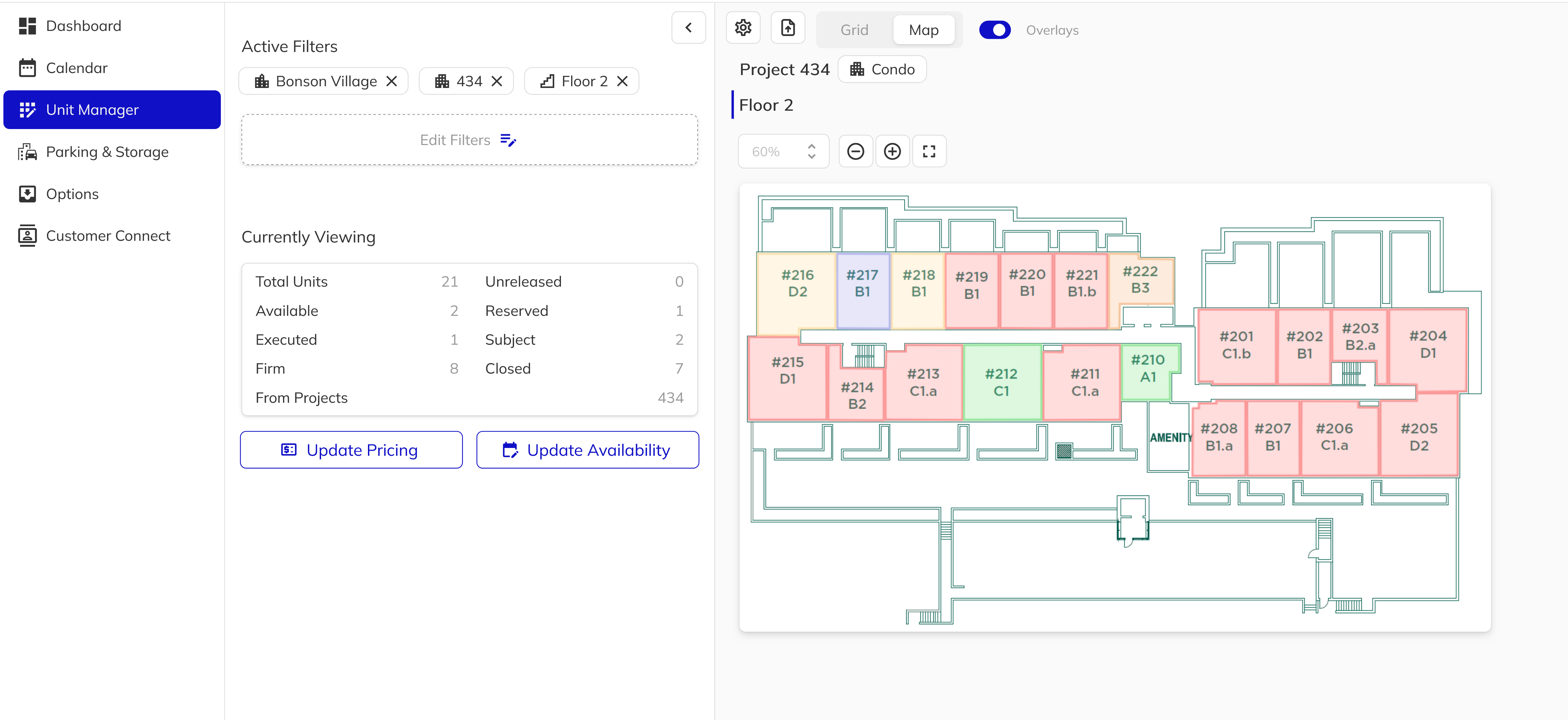
Interactive map view in the Unit Manager - The Unit Manager now includes a Map view alongside the existing grid. Toggle between Grid and Map using the view selector at the top of the page. In map mode, your site plans and key plates are displayed with interactive overlays color-coded by sales status, giving your team a visual snapshot of inventory across all project types. For low-density projects, the site plan is shown with unit overlays. For high-density projects, floor key plates are displayed floor-by-floor with individual unit overlays. Hovering over a unit reveals a tooltip with key details, and clicking opens the full unit panel. Zoom controls and an overlays toggle are available for easy navigation.
-
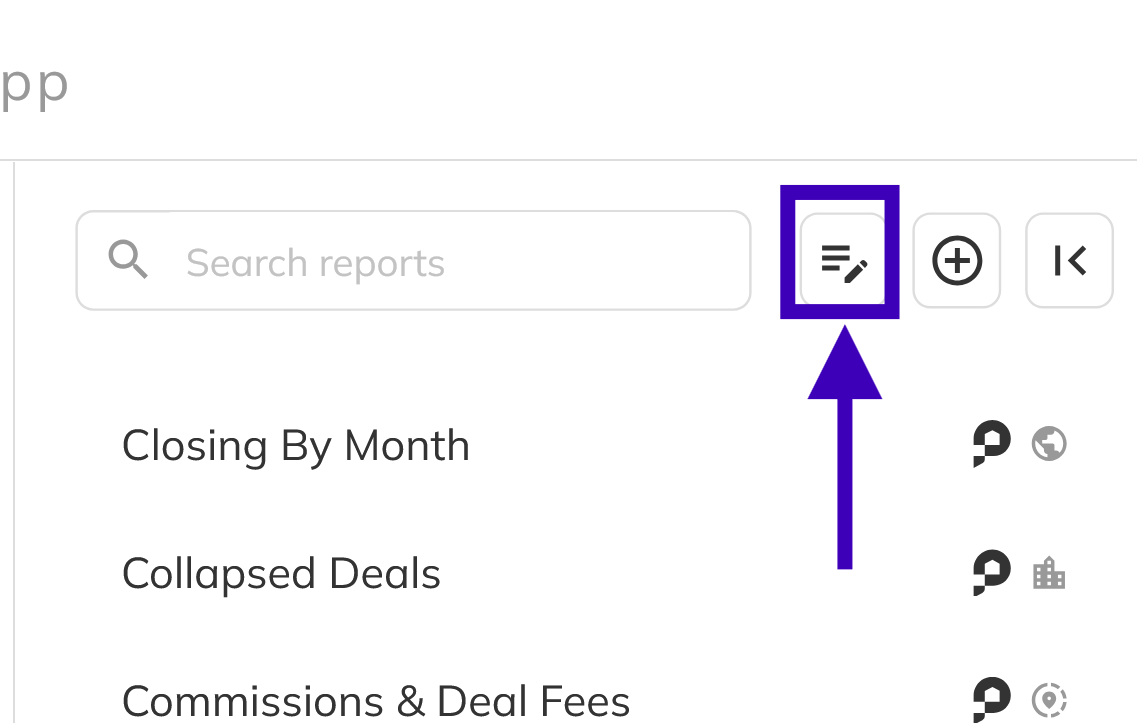
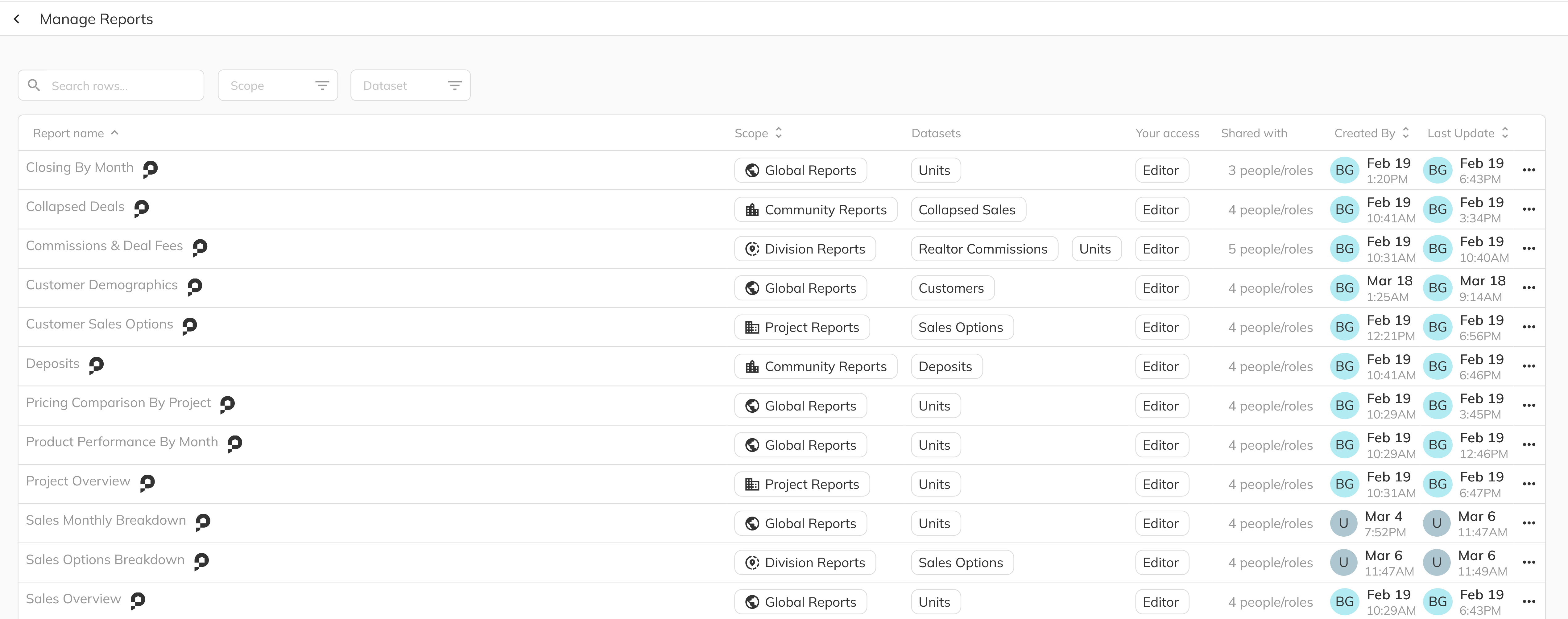
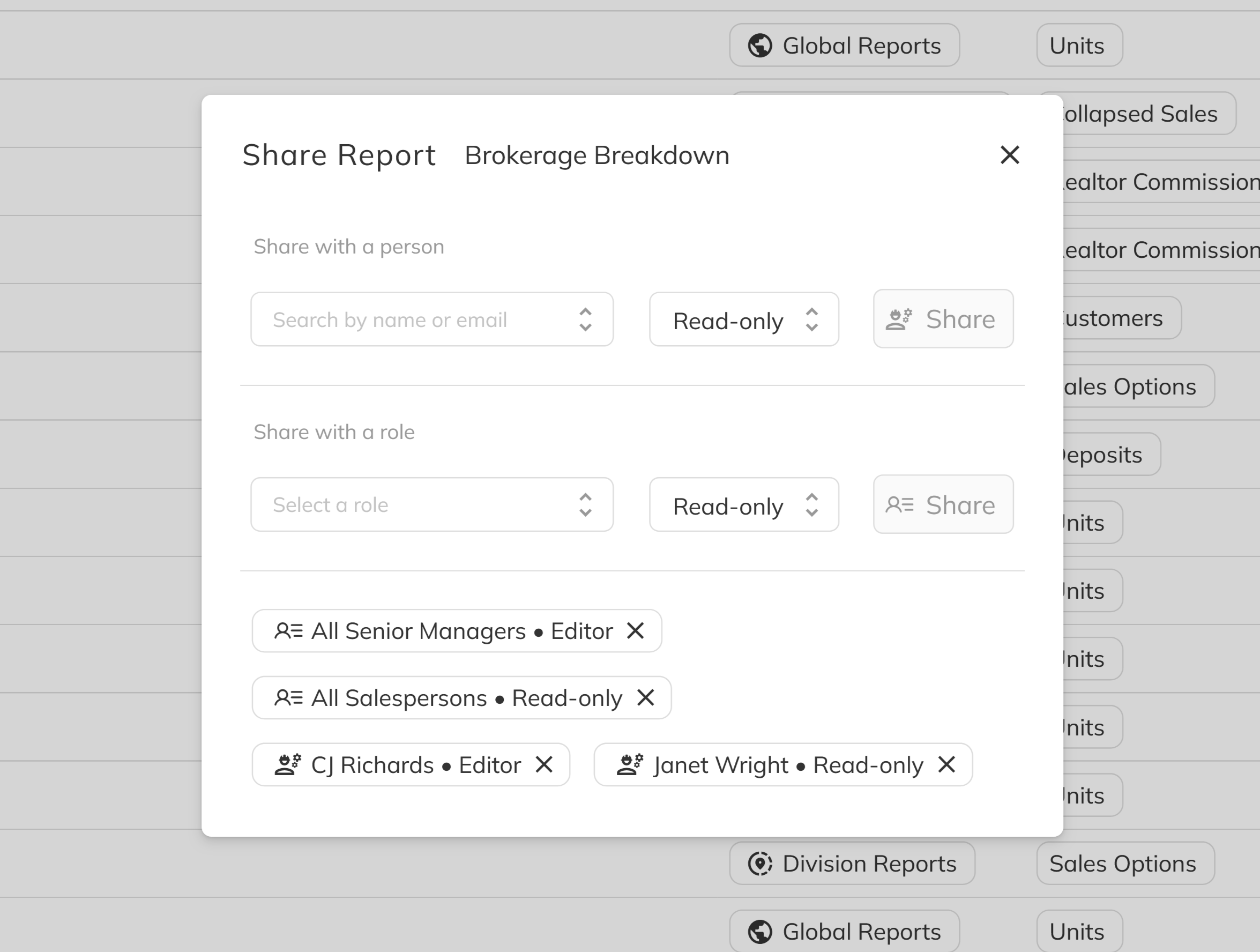
Report permissions and data access controls - New report-level permissions have been introduced to control access to sensitive data. Financial and commission columns are now hidden for users who do not have the appropriate permission, rather than displaying the full dataset to all staff. Report views also now follow visibility rules based on ownership, role, and explicit access grants, so shared report configurations are only visible to the intended audience. Administrators can manage who has access to specific report views directly from the platform.
Bug Fixes & Improvements
-
Division-level access enforcement - Division and community-level access controls have been reviewed and strengthened across the entire platform. Staff members are now consistently restricted to the divisions and communities they are assigned to, including in the admin panel, reports, and all domain-level lists. This ensures that organizations sharing a single Pluto tenant across multiple divisions maintain proper data isolation between business units.
-
Report data scoped to assigned divisions - Report datasets now respect division and community assignments. All reporting queries are filtered to the staff member's assigned scope, ensuring that report results only include data from communities the user has access to. This prevents cross-division data exposure in multi-division environments.
-
Senior management role in multi-division environments - Fixed an issue where the Senior Management role could inadvertently access data from divisions outside of its assigned scope. Users with this role now correctly see only the divisions and communities they have been granted access to, matching the behavior of all other roles.
2026-06-01
This release delivers a wide range of usability improvements, new workflow capabilities, and targeted bug fixes across the Sales App, Client Portal, Signing Service, and Workbench. Key highlights include staff archive management, new merge fields for brokerage information, smarter document handling for deal status transitions, and dozens of fixes to improve signing, document generation, and data display accuracy across the platform.
New Features
-
Staff archive management - You can now view and restore archived staff members directly from the staff management grid. A new Show Archived toggle reveals previously archived contacts, and an unarchive option is available from the staff panel, eliminating the need to recreate staff records.

-
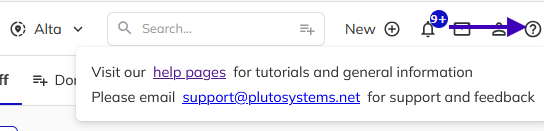
In-app help and support access - A new help icon has been added to the title bar, providing quick access to the Pluto documentation site and a direct link to contact support at support@plutosystems.net.
-
New brokerage merge fields - Three new merge fields are now available for use in document templates: brokerage phone number, brokerage email, and buyer realtor GST number. These fields allow you to include additional brokerage details on contracts and addenda automatically.
-
Default uploaded document name - When manually uploading a document to a deal, the document name field now defaults to the uploaded file name, reducing repetitive data entry.
-
Options removal in standard sales workflow - Salespersons can now remove options from a deal as part of the standard sales workflow permissions. This eliminates the need for a separate Option Manage permission to perform this common task.
-
Contract creation date in new deal - The contract creation date is now available as a usable field during the new deal process. Previously, this field appeared blank because the contract had not yet been created, requiring manual entry. It now populates automatically, giving your team more flexibility when preparing contract documents.
-
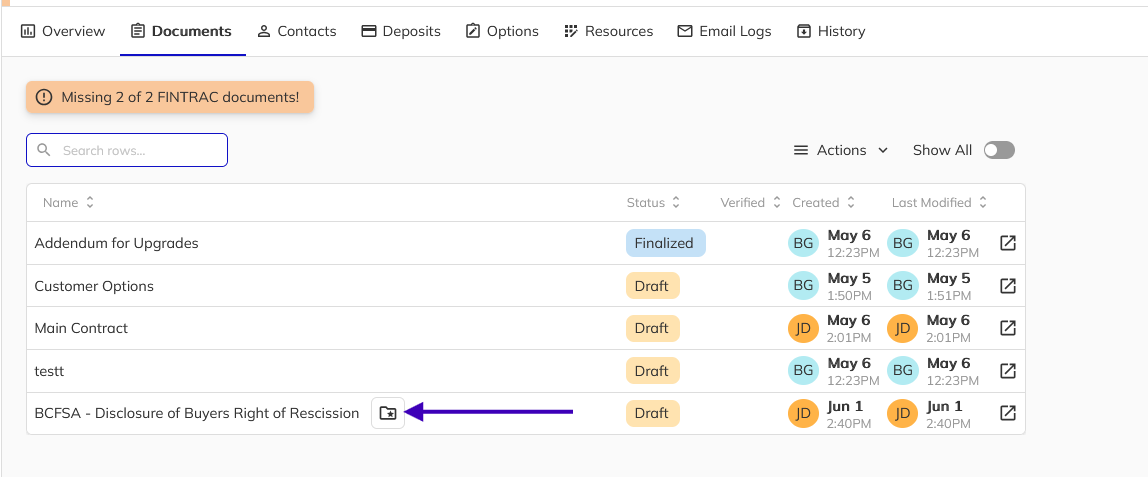
Non-contract document flag - Documents can now be flagged as non-contract, preventing supplementary documents such as disclosure forms from blocking a deal's transition to Subject status. This ensures that only true contract documents are required for deal progression.
-
Backfill field overlay in PDF editor - The PDF editor now displays visual overlays for backfill fields, making it easy to identify where purchaser, realtor, salesperson, and developer data will be automatically populated. Hovering over a backfill area explains how and when the field will be filled.

-
Configurable identity verification - Online identity verification can now be enabled or disabled at the project level, giving you control over whether this step is included in the customer workflow.

Bug Fixes & Improvements
-
Purchaser signing with removed customers - Fixed an issue where purchasers were unable to sign documents after a customer was removed from a deal, which caused non-contiguous customer ordering and prevented signature blocks from matching correctly.
-
Identity verification wording - Updated the identity verification confirmation to use more general language, now stating that the individual's identity has been "personally verified by your organization" rather than implying direct in-person verification by the current user.
-
Custom option images in inbox - Supporting images attached to custom option requests are now visible when viewing the option in the inbox panel, with thumbnail previews and full-screen viewing support.
-
Customer Connect link sorting - Fixed an issue where Customer Connect links were incorrectly categorized as project-level links when the associated unit had no model assigned.
-
PDF date field accuracy - Resolved an issue where dates entered in Fill on PDF fields were shifted back by one day.
-
Add salesperson dialog scrolling - Fixed the add salesperson dialog so it scrolls properly when the list of contact cards exceeds the dialog height.
-
Unit Manager project dropdown - The project dropdown in the Unit Manager now displays as disabled when no community is selected, instead of appearing empty with no explanation.
-
PDF previewer stability - The PDF previewer now limits the number of pages rendered to prevent browser crashes on large documents. A View Full Document link is provided to open the complete document in the PDF editor.
-
Email text line wrapping - Fixed an issue where certain lines of text in emails would incorrectly wrap to the next line.
-
Email template line break rendering - Fixed a formatting issue in email templates where line breaks were not showing correctly.
-
Signing service layout with large floor plans - Fixed a layout issue in the Signing Service where oversized floor plan images would push the page content out of view.
-
Phone number validation display - Fixed phone number validation so it displays correctly for all phone number types, not only cell numbers.
-
Realtor-only signature block signing - Fixed an issue where documents containing only realtor signature blocks did not prompt the realtor to sign through the portal or the document sharing workflow.
-
Realtor signed date backfill - Added support for backfilling the realtor signed date on documents, ensuring accurate record-keeping for previously signed contracts.
-
Custom options document generation - Fixed a crash that occurred when generating custom options documents after uploading new option forms.
-
Template population fix - Fixed an issue where templates were not correctly populating internal and customer data during document generation.
-
Merge modifier percentage values - Fixed an issue where merge field modifiers with percentage values above 100 were not producing the expected output.
-
Null display on realtor signature blocks - Fixed an issue where realtor signature blocks displayed "null" when no realtor was assigned to the deal.
-
Signing service document progression - Fixed an issue where the Signing Service would not automatically advance to the next document after completing all signature fields in certain situations.
-
Deal acceptance status message - Corrected the deal acceptance confirmation message to accurately reflect the deal status, rather than always stating "Subject" when additional addenda may still require signing.
-
Document removal triggers status update - Removing documents from a deal now correctly triggers a status re-evaluation, allowing the deal to transition to Subject when all remaining contract documents are finalized.
-
Color scheme in new deal merge flow - Fixed an issue where the project color scheme was not applied correctly during document generation in the new deal workflow.
-
Addendum accepted date - Addendum date fields now correctly use the accepted date rather than a backfill value, ensuring accurate timestamps on signed documents.
-
Copy button visual feedback - Restored visual feedback when clicking copy buttons throughout the platform, so users receive clear confirmation that content has been copied to the clipboard.
-
Purchaser terminology on Disclosure page - Corrected the Disclosure page to display "Purchaser" instead of "Customer" for consistent terminology across the platform.
-
Realtor brokerage label correction - Fixed the realtor brokerage label that incorrectly displayed "Purchasing Company" instead of the correct brokerage designation.
-
Client Portal document visibility - Fixed an issue where the Client Portal was displaying realtor-only documents to purchasers, ensuring that each party only sees documents intended for them.
-
Remuneration document on collapsed deals - Fixed an issue where viewing a collapsed deal could incorrectly show the remuneration document from a different, unrelated deal.
-
Commission visibility permissions - Updated commission visibility settings to ensure appropriate access controls are applied for standard sales staff.
2026-05-21
This release continues our commitment to refining the day-to-day workflows your sales teams rely on most. We focused on making the addendum and remuneration workflows more flexible, fixing several issues in the merge and document systems, and bringing signing reminder capabilities to mobile. Together, these improvements reduce friction for both your sales staff and the back-office team managing project configuration.
New Features
-
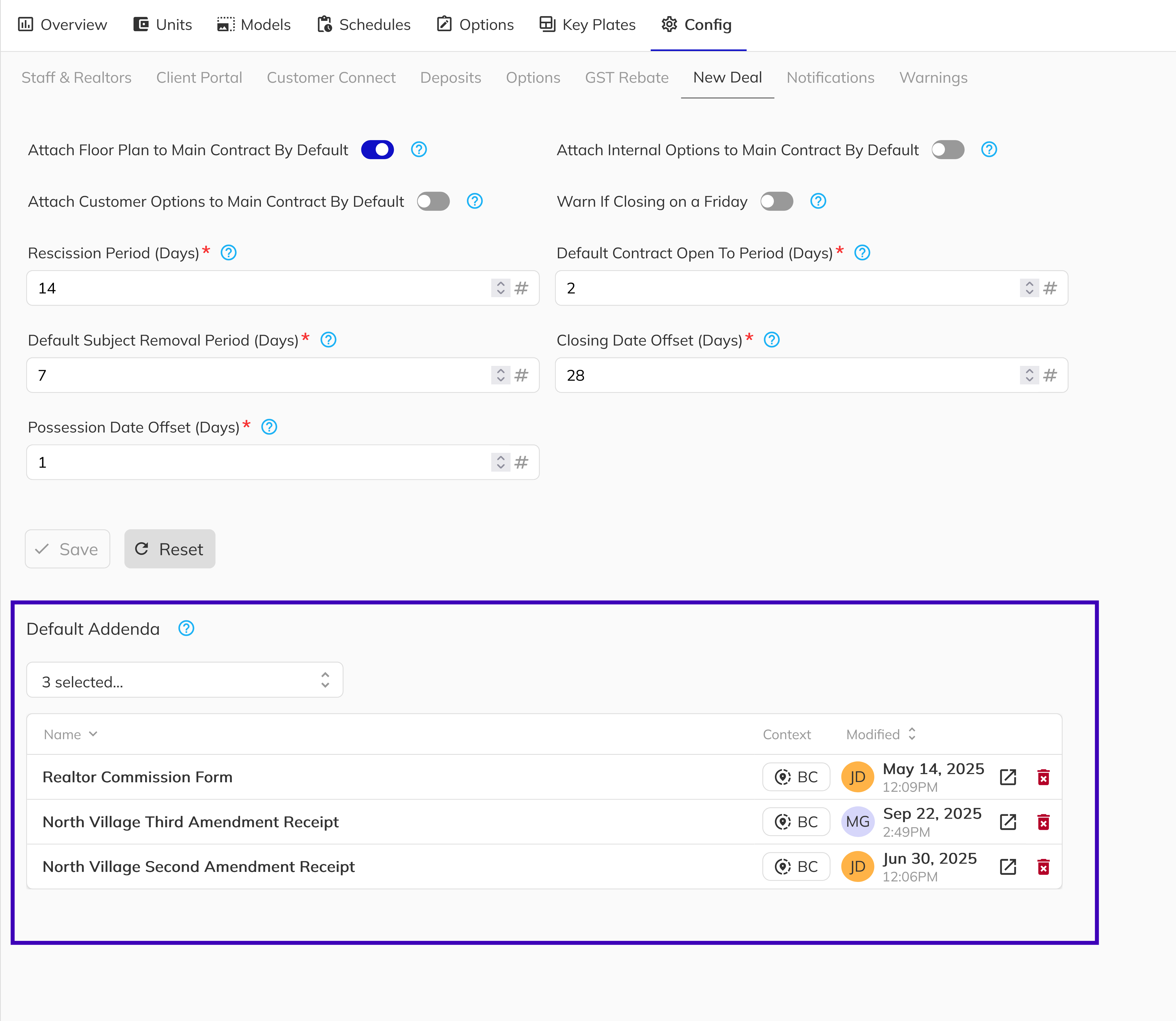
Default addendums - Projects can now be configured with default addendums that are automatically applied when creating a new deal. This reduces repetitive manual selection and ensures that required documents are consistently included from the start of every transaction. This can be configured under the New Deal section of your project settings in the Workbench.
-
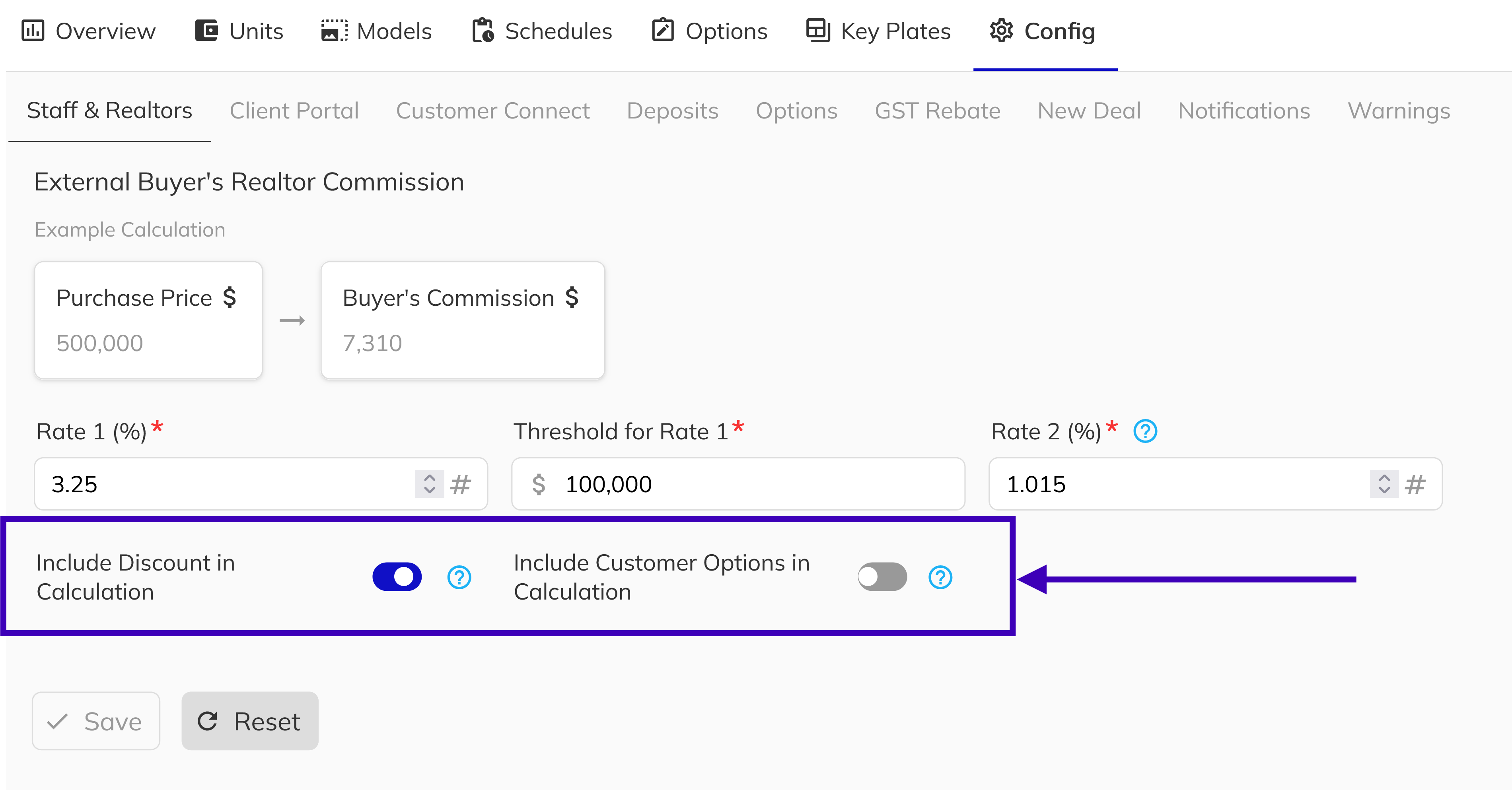
Flexible realtor commission calculation - Project configuration now supports a configurable commission base. You can choose to calculate commissions on the list price, list price plus discount, or list price plus discount plus options, giving you greater control over how commissions are structured per project. This can be configured under the Staff and Realtor section of your project settings in the Workbench.
-
Sellers Disclosure of Expected Remuneration - Pluto now automates the BCFSA-required disclosure of expected remuneration as part of the contract signing workflow. When a developer representative begins signing the main contract, the system checks whether an acknowledgement is required and presents a live-generated preview of the disclosure form if so. Each acknowledgement is stamped, filed, and logged automatically, and the form re-appears whenever the purchase price or brokerage amounts change — building a full counter-offer history on a single document. For full setup and workflow details, see the Remuneration documentation.
noteThis feature must be enabled per project. Navigate to Workbench → Project Configuration → Commissions and toggle on Remuneration Form Enabled.
-
Mobile signing reminders - Your sales team can now send signing reminders to purchasers and realtors directly from the mobile app. Previously this required switching to desktop. The reminder workflow on mobile includes the same review step as the desktop version, so your team can confirm what is being sent before it goes out.
Bug Fixes & Improvements
-
Addendum panel improvements - Several usability issues in the addendum panel within the New Deal workflow have been addressed. The document name field is now wider so names are not cut off, the Requires Data label now correctly shows Unit instead of Job, an option to preview the merged addendum is now available, and the 0 prompts filled indicator is no longer shown when no fillable prompts exist.
-
Dashboard card text display - Long file names and text in dashboard cards now truncate cleanly with a tooltip showing the full value on hover. This resolves a layout issue where longer names caused visual inconsistencies across dashboard panels.
-
Merge modifiers fixed - Resolved a front-end issue where merge field modifiers were not being applied at all during document generation. Modifiers now work correctly and produce the expected output.
-
Lot merge fields without legal lot ID - Lot merge fields now populate correctly for units that have a strata lot assigned at the project, building, or unit level, even when no legal lot ID has been set. This prevents missing data on documents for projects with incomplete legal lot information.
-
Prompt field tooltip backslashes - Fixed an issue where backslash characters were appearing incorrectly in prompt field tooltips, causing confusing or garbled display text.
-
Signed signature blocks locked in draft mode - Signature blocks that have already been signed can no longer be repositioned while a document is in draft mode. This prevents accidental changes to the layout after a signee has completed their signing.
2026-05-11
This release delivers a redesigned document sharing workflow, a unified signature experience across all applications, new salesperson and remuneration signing capabilities, configurable project warnings, and a significant number of usability improvements across the platform. We have also reworked document naming conventions, updated terminology for clarity, and resolved several high-impact bugs to make daily workflows smoother for your teams.
New Features
-
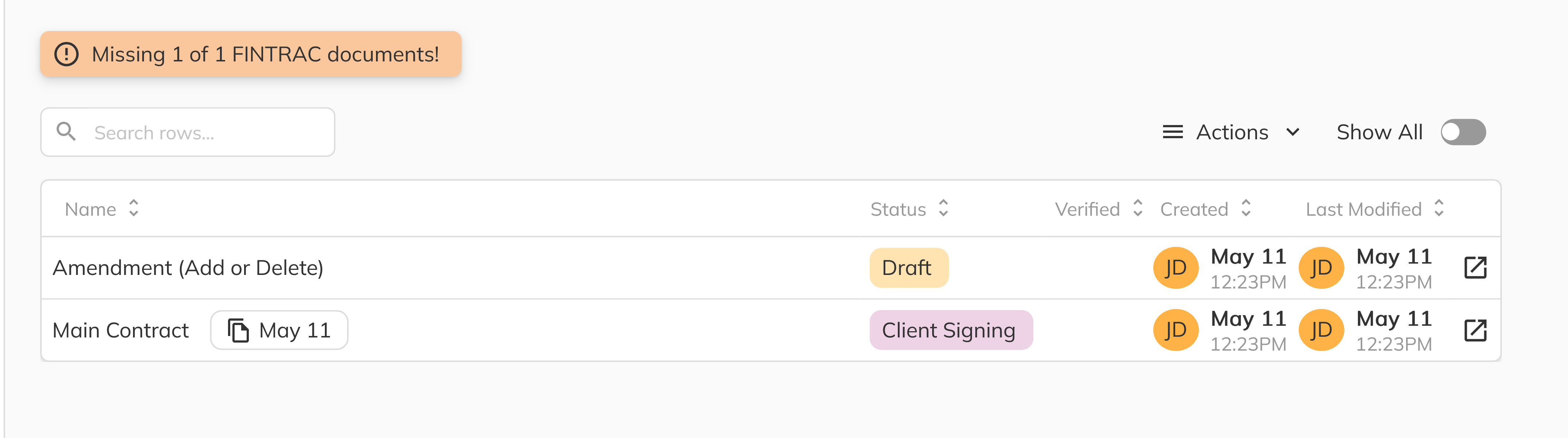
Updated document status terminology - Document statuses have been renamed for clarity: Generated is now called Draft, and Customer Signing is now called Client Signing, providing more intuitive labels throughout the platform.
-
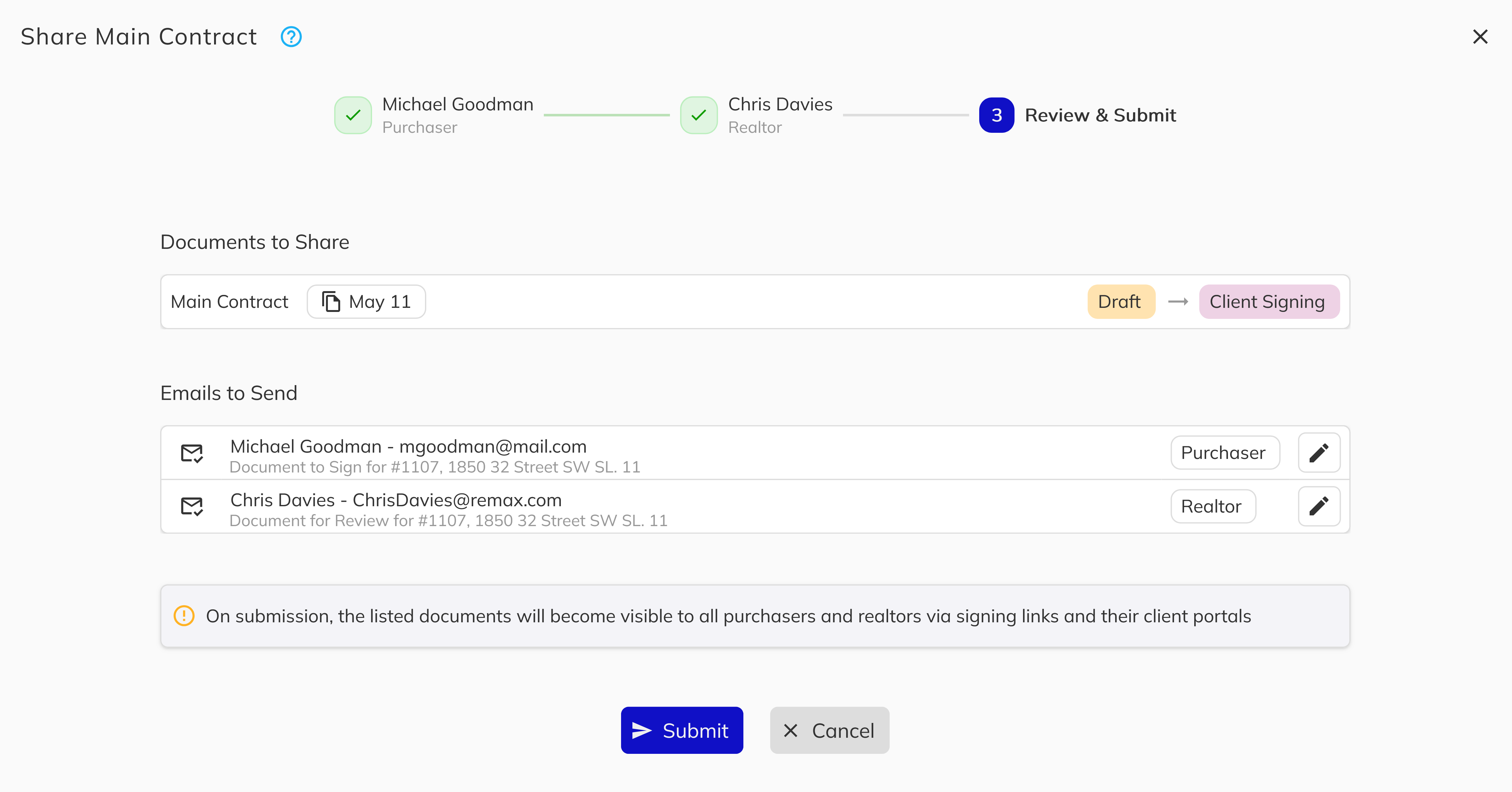
Redesigned document sharing workflow - The document sharing experience has been completely rebuilt with a guided, multi-step process. When you Share a document, a confirmation step now clearly explains what will happen, including the document status change and emails that will be sent. A new breadcrumb navigation allows you to step through each recipient's email individually, review all emails before sending, and jump back to make edits at any point. You can also add or remove attachments per email, copy signing links directly from the document actions menu, and see the document's current status alongside the new status it will transition to after sharing.
-
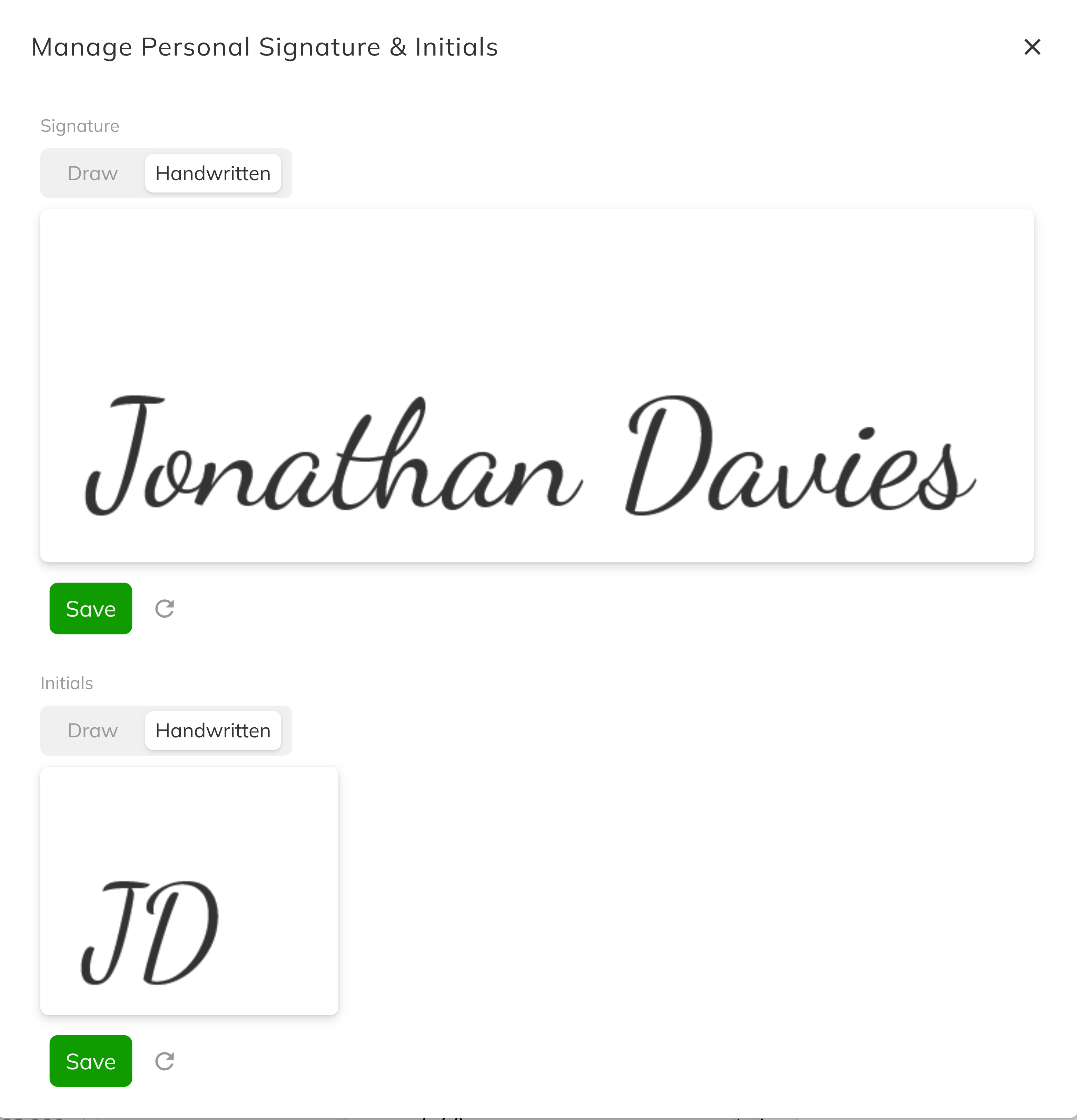
Unified signature component - The signature drawing and editing experience is now consistent across the Sales App, Client Portal, and Signing Service. All three applications use the same shared signature workflow, ensuring a seamless and familiar experience regardless of where you or your clients are signing. An undo option has also been added to the Client Portal signature editor, and the signature drawing area has been enlarged on mobile devices for more accurate input.
-
Salesperson signature blocks - Documents with salesperson signature blocks can now be signed directly by the salesperson in the Sales App. Staff members with standard sales workflow permissions will automatically appear as an available signee when salesperson signature fields are present on a document.
-
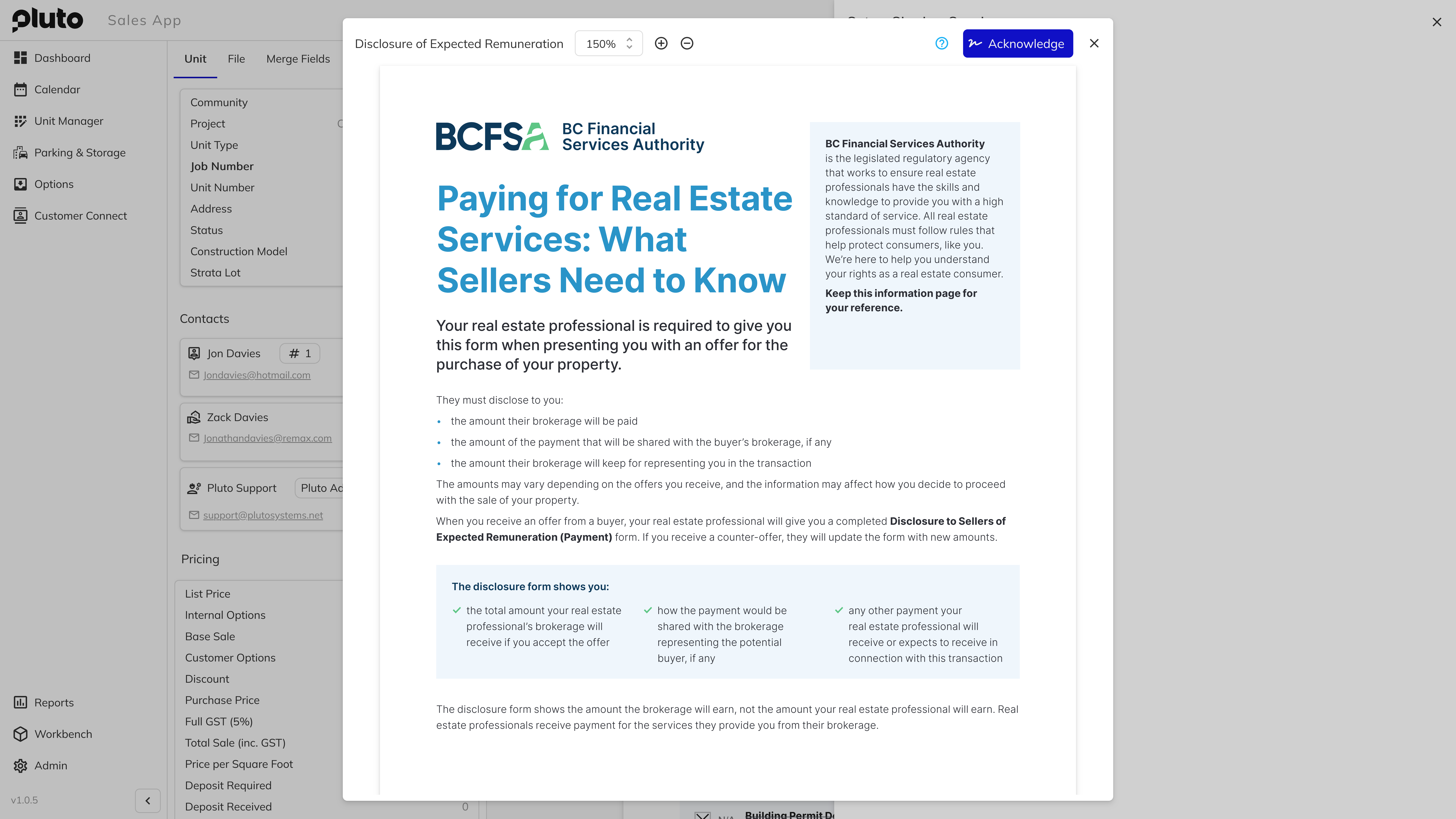
Remuneration form - A new expected remuneration form is now available as part of the signing workflow. When enabled at the project level under Staff & Realtor configuration, the system will generate a remuneration preview that the signing developer must acknowledge before completing the document signing process. Remuneration logs are recorded and viewable on the deal, and a new View Deal Fees and Commissions permission controls access.
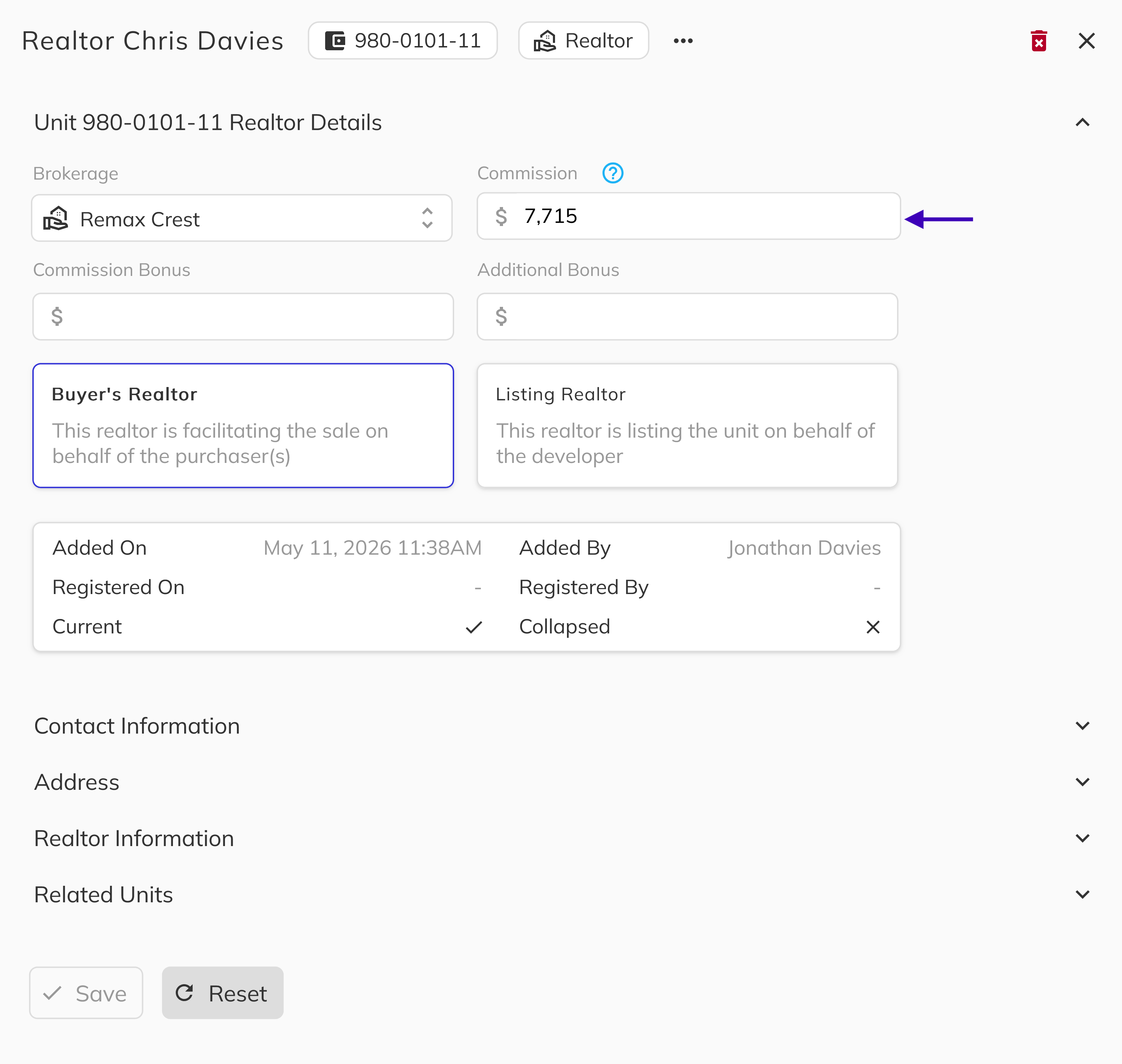
- Commission override - You can now manually override realtor commission values on a deal. This is particularly useful when managing commission advances or unit transfers where the original commission structure no longer applies, helping to protect the developer from overpayment scenarios.
-
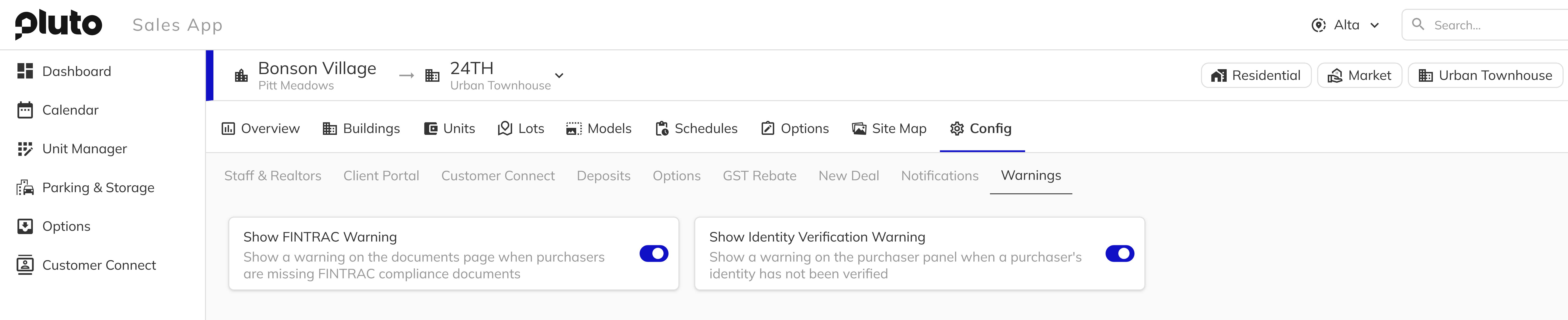
Configurable project warnings - A new Warnings tab has been added to project configuration, allowing you to enable optional alerts for your sales team.
-
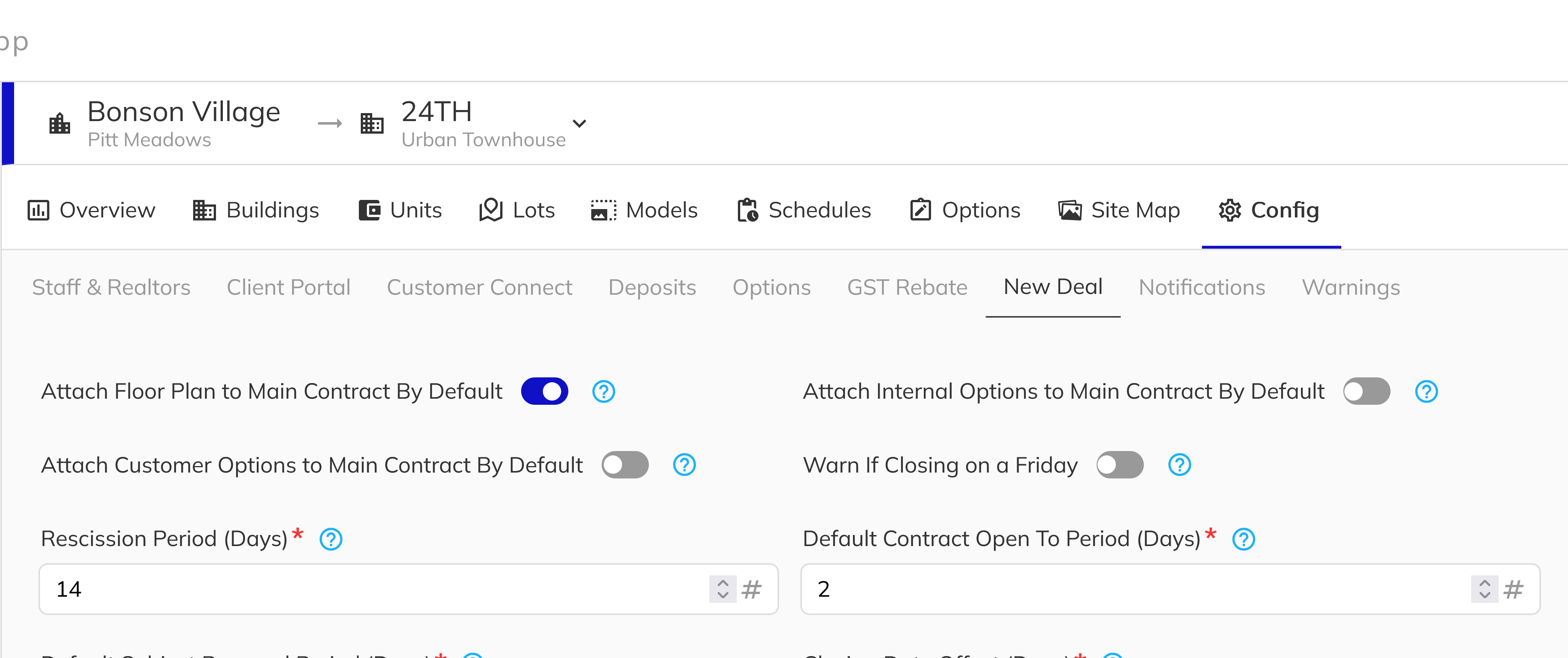
Closing on project warnings - This includes a configurable warning in the New Deal Config when a closing date is set on a Friday, which helps avoid situations where possession falls on a Saturday with limited access to lawyers or payment processing.
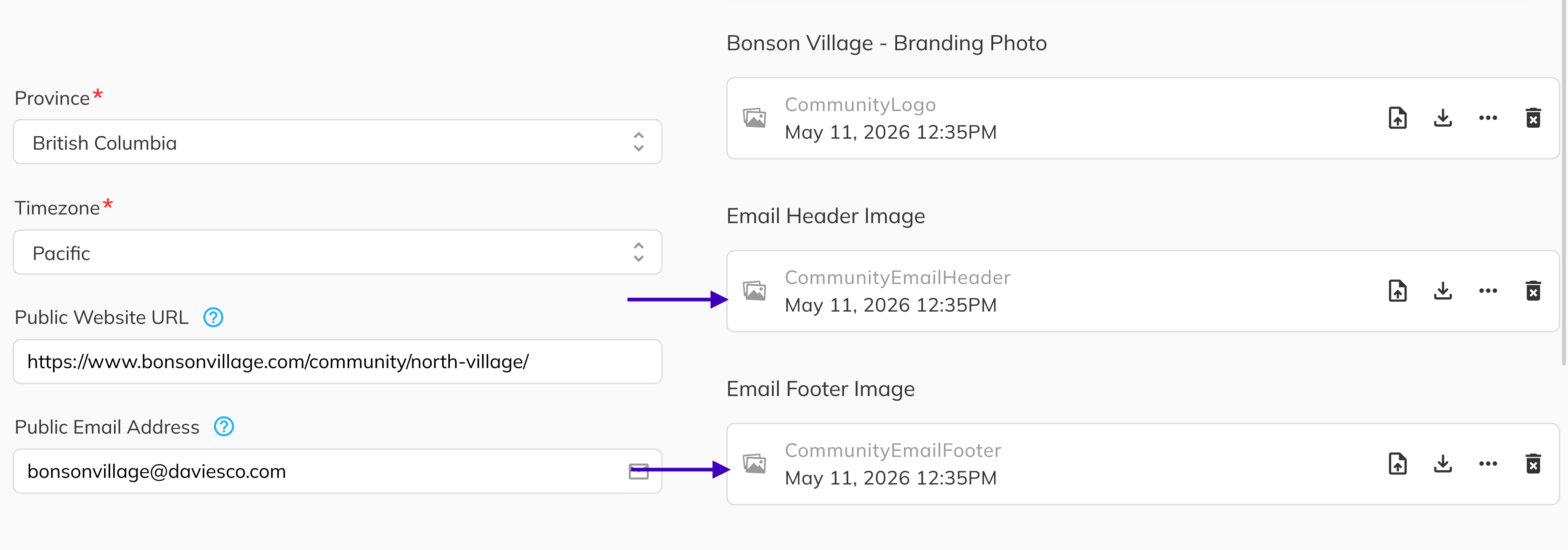
- Publicly hosted email images - Project images used in email templates, such as header and footer logos, are now hosted on our secure file storage with public read access. You can uploaded these photo in the Community section of the Workbench.
- Disclosure sending history - The platform now tracks and records the history of disclosure statement sends, giving you a clear audit trail of when disclosures were sent to each recipient.
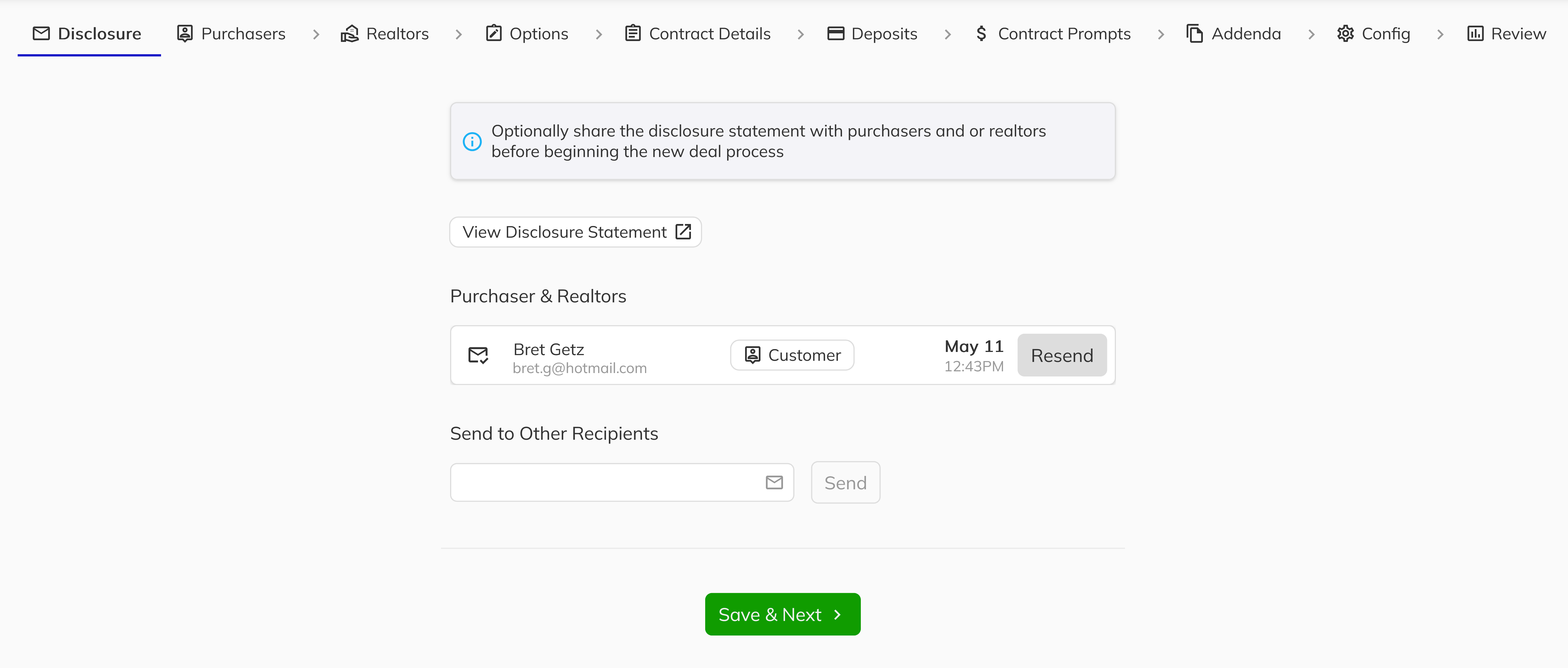
- Realtor approval in standard sales workflow - Approving a realtor on a deal is now included as part of the standard sales permissions, so your sales staff no longer need a separate permission to complete this common step.
Bug Fixes & Improvements
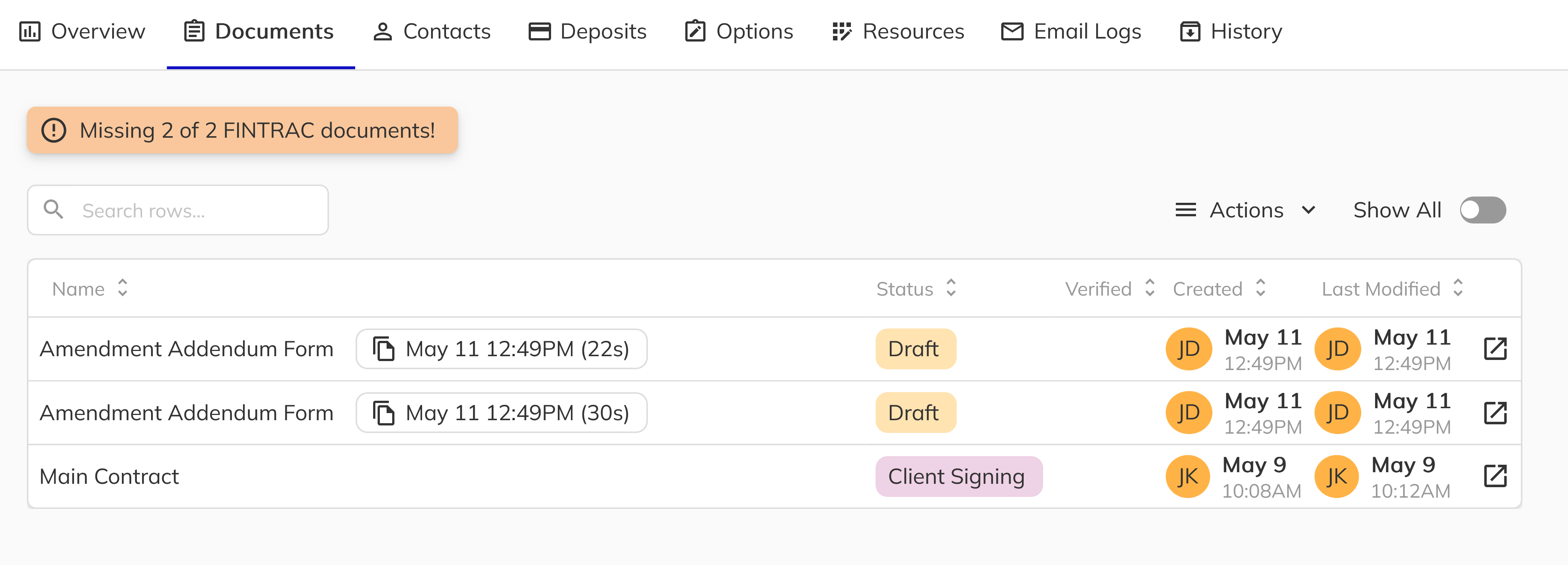
- Document naming rework - Document names are no longer suffixed with sequential numbers like
(2)or__2in the database. Duplicate document names are now handled at the display level using creation dates, providing clearer identification and eliminating naming corruption issues that could occur when documents were cancelled or collapsed. Downloaded files now include the date in the filename for guaranteed uniqueness.
- New contact duplicate prevention - Fixed an issue where cancelling out of the new contact creation flow and then re-entering it could create duplicate contacts. The contact is now only created when you complete and submit the full workflow.
- Signature handwritten/draw mode clearing - Fixed an issue where switching from the handwritten signature mode back to the draw mode did not clear the previously generated signature.
- Client Portal triple save prompt - Resolved a bug that caused an unnecessary triple confirmation prompt when saving signatures in the Client Portal.
- Android signature dialog scrolling - Fixed the signature editing dialog on Android devices using Firefox and Samsung Internet, where the dialog was not scrollable and the Save button was cut off at the bottom of the screen.
- Sign All recognition after setting signatures - Resolved an issue on Android mobile where the Sign All button did not recognize newly set signatures until the page was refreshed.
- Developer signs before realtor lockout - Fixed an issue where if a developer signed a document before the buying realtor, the realtor was subsequently locked out of being able to sign the same document.
- Signing state with missing developer signatures - Fixed a scenario where pressing Sign as a realtor when the developer had not yet set up their signatures would show an empty signee selection dialog with no options.
- Consistent signature text across applications - Aligned the signature instruction text between the Client Portal and Sales App so users see the same wording in both places.
- iPhone white screen on signature change - Fixed an issue in the Signing Service where changing your signature on an iPhone could result in a white screen.
- Signature proportions in Sales App - Corrected a display issue where signatures appeared widened or stretched in the Sales App compared to how they were drawn.
- Signature adjustment navigation in Client Portal - Fixed a bug where the Adjust Signature option did not open the signature editor when accessed from outside the contract page in the Client Portal.
- PDF text formatting on generation - Resolved an issue where text inserted into PDF fields would appear clumped together and lose its original formatting when the document was generated.
- Unit number column in Workbench - Corrected the unit number display in the Workbench units tab, which was showing incorrect values.
- Previous year change history - Changes from the previous calendar year now display correctly in the history view, rather than being hidden.
- Realtor commission override message - Fixed the display formatting of the realtor commission override confirmation message, which was previously garbled.
- Unnamed document on generation - Fixed a rare issue where generating a disclosure statement could create a document with no name, resulting in an invalid state.
- FINTRAC form template prompts - Templates with a large number of prompt fields, such as the new FINTRAC corporate and individual forms, now correctly enforce the Fill on PDF format to ensure all fields display properly.
- Disclosure statement template selection - Fixed an issue where only the disclosure statement template was being auto-filled during document generation when other templates should also have been included.
- Document sharing UI polish - Improved the overall visual quality of the document sharing workflow, including white card backgrounds, clearer breadcrumb hierarchy with larger step labels, consistent left alignment, truncated long recipient names with ellipsis, full-screen help dialog on mobile, titled section headers, and edit icons on recipient review cards.
- Mobile CRM purchaser add fix - Resolved an issue with adding purchasers on the mobile CRM view to ensure the contact form works correctly on smaller screens.
- Multi-branch stability fixes - Applied several cross-cutting fixes to ensure remuneration form data, import/export scheduling, and project configuration settings work correctly together after the recent feature additions.
2026-04-20
This release introduces several new features to improve everyday workflows in the sales app, including bulk document uploads, streamlined document actions, indefinite reservation holds, and a faster unit setup process for strata townhome projects. We have also addressed a number of usability and display issues across the platform.
New Features
-
No Expiry reservation option - A new No Expiry option has been added to reservations, allowing sales teams to hold units without a countdown timer. This is ideal for tracking client interest in unreleased project phases, eliminating the need for external spreadsheets or manual tracking.

-
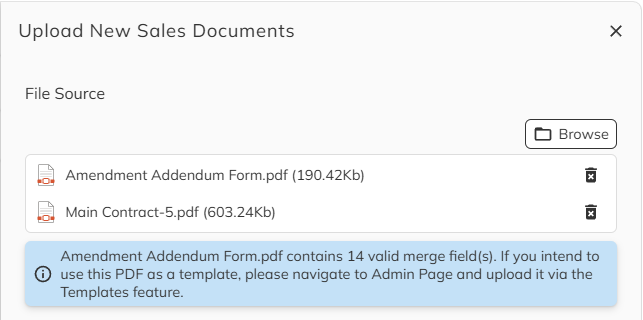
Bulk document upload - You can now upload multiple documents at once instead of adding them one at a time. Select all the files you need in a single step to save time when attaching documents to a deal.
-
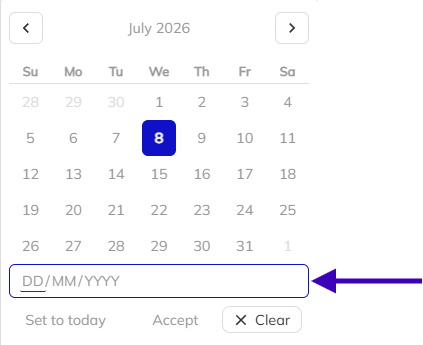
Manual date entry for staff - Staff members can now type dates directly into date fields instead of relying solely on the date picker. This provides a faster and more flexible way to enter dates throughout the platform.
-
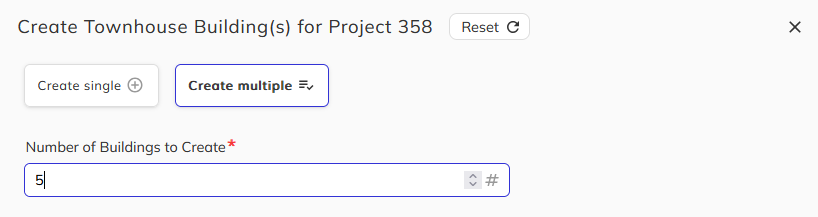
Bulk unit creation for strata townhomes - A new bulk creation workflow is now available when setting up strata townhome projects in the Workbench. Instead of creating units one at a time, you can now create multiple units in a single step, significantly reducing setup time for new projects.
Bug Fixes & Improvements
- Customer Connect session layout fix - Resolved a spacing issue in the Customer Connect Session Details view that was causing unnecessary horizontal scrolling for some user sessions, ensuring a cleaner and more readable layout.
- Hidden Fields tab for shared documents - The Fields tab is now hidden for documents that have already been shared and flattened. Previously, this tab appeared empty after sharing, which could cause confusion. It now only displays when the document is in a generated state and fields are still editable.
- Division filter consistency - The division filter has been reviewed and corrected across the entire application to ensure it works reliably in all areas where it appears.
- Deposit percentage display in contract prompts - Fixed an issue where the deposit percentages shown during the contract prompts step of a new deal did not match the values just entered in the deposits section. The actual contract was unaffected, but the preview now correctly reflects your entries.
2026-03-13
This release delivers a major upgrade to the signing service, introducing new signature management capabilities, improved session handling, and a series of important bug fixes to strengthen security, reliability, and overall usability.
New Features
-
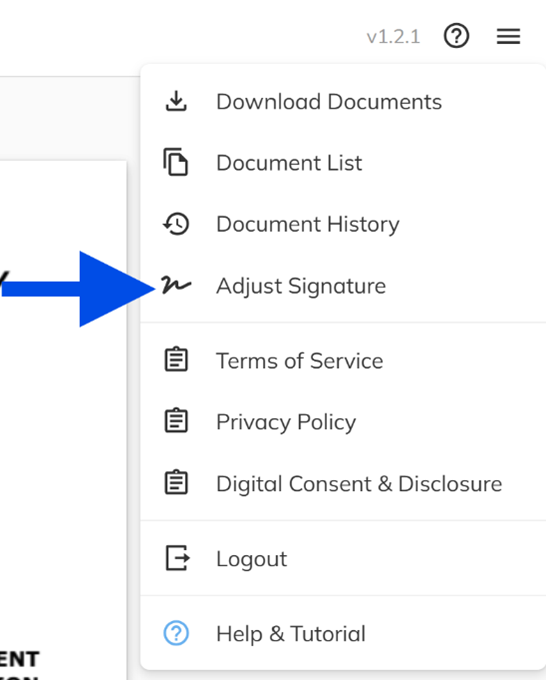
Edit signature and initials after saving - You can now update or redraw your saved signature and initials at any time during the signing process through the Adjust Signature option. If you edit your signature mid-document, a clear warning will notify you to reapply your signature to any previously signed fields. The editing experience has been streamlined to show only the essential signature and initials controls.
-
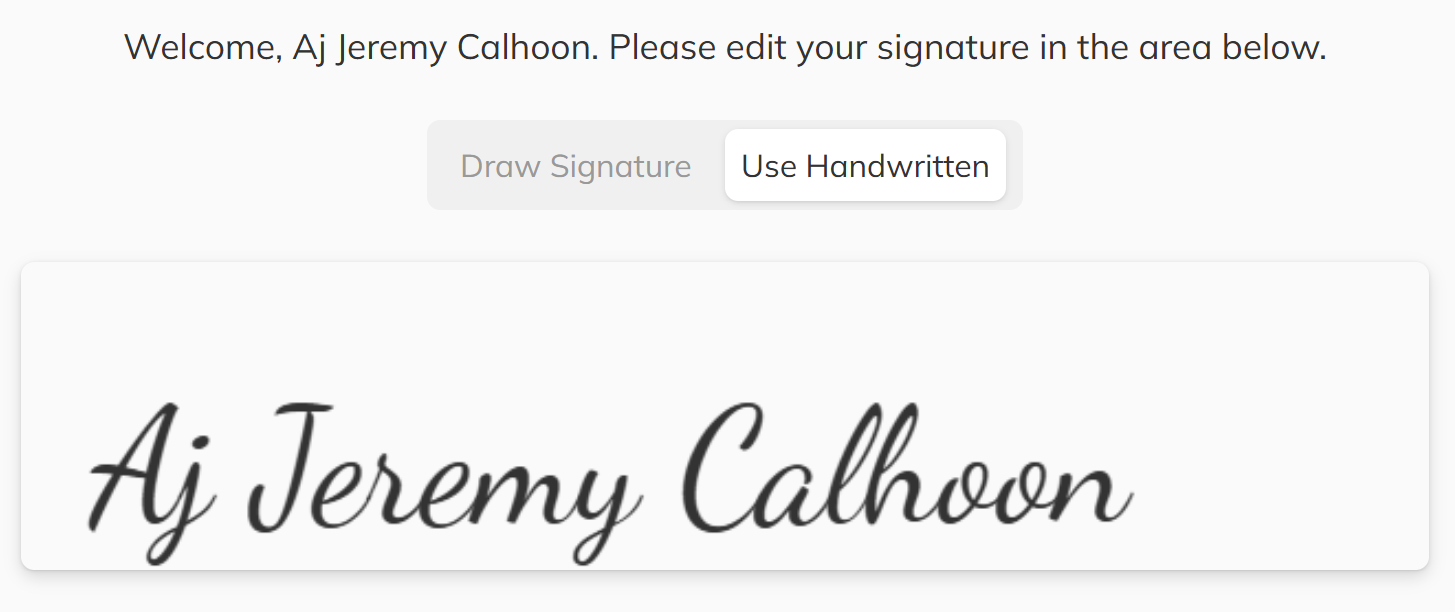
Typed signature option - A new typed signature alternative is available for users who prefer not to draw their own. This provides an accessible, legally binding option that generates a handwritten-style signature from your name, available for both signatures and initials separately.
-
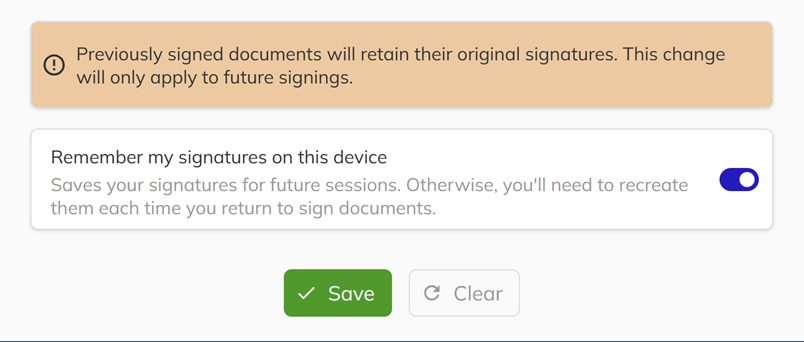
Persistent signature storage - Your signature and initials are now saved to your device by default, so you do not need to redraw them for each signing session. You can opt out of this feature using the Remember my signature on this device or Remember my initials on this device toggle provided during signature setup.
-
Document progress indicator - A new progress display shows which document you are currently signing out of the total, giving you clear visibility into how many documents remain throughout the signing workflow. This indicator adapts cleanly across desktop and mobile devices.

-
Seamless transition to client portal - After completing the signing process, you can now navigate directly to the client portal using the Client Portal button without needing to verify your identity again. Your session securely carries over for a smoother experience.
-
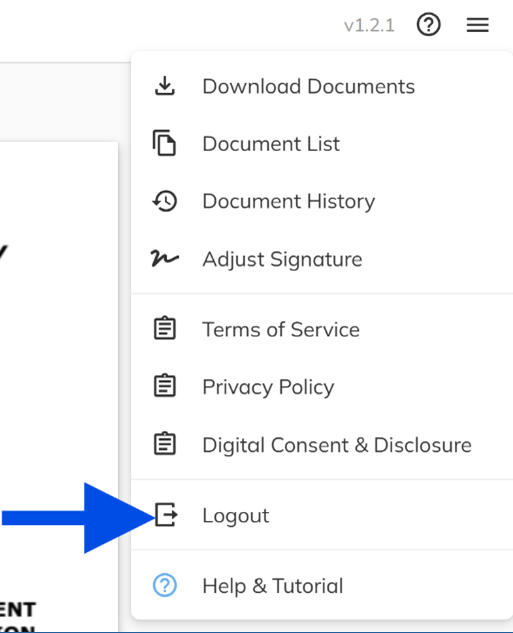
Logout option added - A new Logout button has been added to the signing service options menu. Logging out will properly clear all saved signatures and session data from your device.
2026-01-16
This release we've significantly improved the document signing experience, strengthened platform stability through critical bug fixes, and refined user interface terminology for greater clarity and consistency across the platform.
Bug Fixes & Improvements
- Improved image-based document rendering - We've switched to image-based rendering for all contracts and documents, ensuring pixel-perfect consistency and reliable performance across devices, browsers, and screen sizes.
- Enter key login shortcut - Users can now press Enter on the login screen to authenticate, streamlining the login process for faster sales app access.
- Basement type filtering in Unit Manager - A new filter has been added to the Unit Manager, allowing you to sort and manage inventory by basement type for more efficient property organization.
- Balcony square footage display in Unit Manager - Unit details now include balcony square footage information, providing comprehensive space metrics for better property management and buyer communication.
- Ctrl + Click to open units in new tab - We've implemented consistent cross-platform support for control-click functionality, enabling users to open section of the app in new tabs for improved workflow efficiency.
- Mobile sales status update on developer signing - Fixed an issue where signing documents on the mobile sales app wasn't correctly updating the sales status to "Subject". Status changes now reflect immediately across all platforms.
- Sales status display with expired reservations - Resolved a bug that caused incorrect sales status display when customer reservations expired, ensuring accurate inventory status at all times.
- Contact collapse state restoration - Improved state management to properly restore the collapsed/expanded state of contacts when navigating between pages.
- Duplicate email handling in Realtor panel - Fixed an error that occurred when attempting to save duplicate realtor emails after receiving a warning prompt.
- Finalize button state management - Resolved a button state issue that caused errors when pressing the Finalized button multiple times in the Option panel.